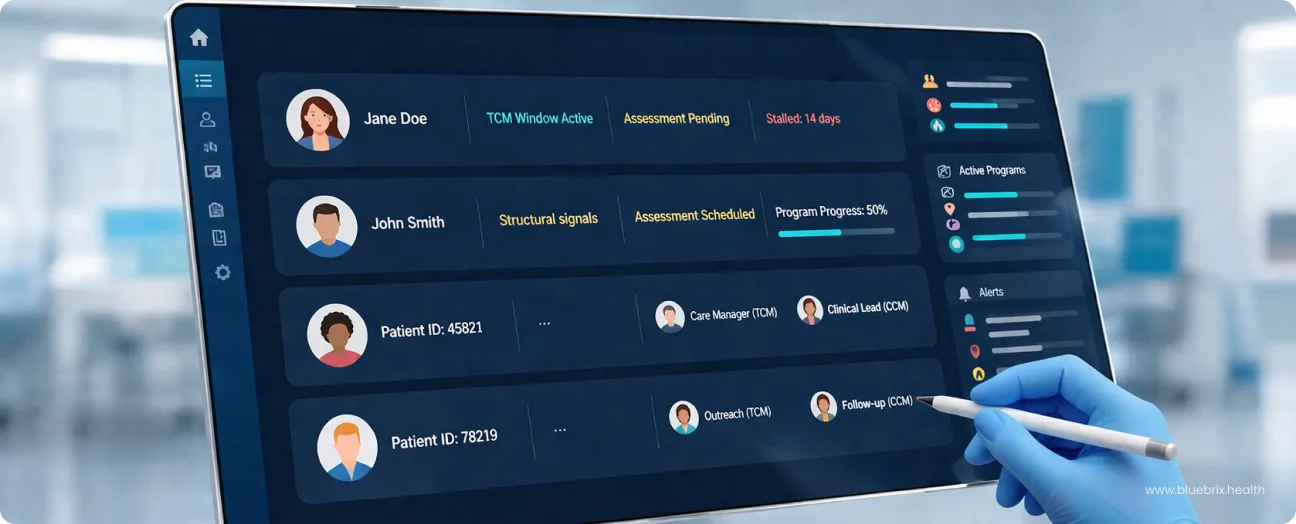

6 things ACO care teams lose when patient registries stay in Excel
Spreadsheets do not fail dramatically. There is no crash, no error message, no moment when everything stops working. They fail quietly, one missed follow-up at a time, one duplicate call at a time, and one stale risk flag that nobody caught until a patient ended up back in the ED. Here is where the loss actually happens.
1. You lose the actual current state of your patient panel
When a patient registry lives in excel, version control is a manual problem. One case manager updates Tuesday’s file. Another is still working from Monday’s. A third saved a local copy two weeks ago and has been adding notes to it ever since. By the time anyone tries to reconcile these, the registry is not one document, it is three, with no reliable way to know which one is current. In a care team managing hundreds of patients, that is a structural gap in care coordination.
2. You lose visibility into who contacted whom
Without a shared, real-time view of who has contacted whom, two case managers will call the same patient. It happens regularly in teams running on spreadsheets. Neither person is careless. The system just gives them no way to know the other already reached out. For patients, repeated contact from different care team members for the same reason erodes trust. For the care team, it is wasted clinical time that could have gone to someone who has not been contacted at all.
3. You lose the post-discharge follow-up window
Transition-of-care follow-up in the first seven days after discharge is one of the highest-impact interventions in ACO care management. It is also one of the most consistently missed when teams rely on manual tracking. A spreadsheet does not alert anyone when a patient was discharged yesterday and the clock is running. Someone has to know to check. Someone has to remember to update the list. In a busy care team, those steps get skipped. The window closes. The readmission risk stays elevated.
4. You lose accurate risk stratification
A risk tier assigned to a patient in a spreadsheet reflects that patient’s status on the day the column was filled in. It does not update when new claims come in, when a hospitalization happens, or when a chronic condition worsens. In practice, many of the patients marked stable in a manual registry are no longer stable. The registry just has not caught up. Acting on stale risk data means high-risk patients go unmanaged and lower-risk patients absorb outreach they do not need.
5. You lose clean documentation for audits and compliance
Care documentation that lives in a shared drive is difficult to audit, difficult to attribute, and difficult to defend. When a payer or compliance review asks for evidence of care management activity, a spreadsheet with color-coded cells and freeform notes is not a clean answer. Structured care management software creates a timestamped, attributable record of every interaction. A spreadsheet does not.
6. You lose clinical hours to admin work
This is the cost that rarely gets measured but is felt every day. Case managers in spreadsheet-dependent teams spend a significant portion of their week on registry maintenance: updating columns, reconciling versions, hunting for information that should already be in front of them. That time does not go toward patients. It goes toward keeping a manual system functional enough to use. When care teams move off spreadsheets, the first thing most case managers notice is not a better dashboard. It is that they have hours back.
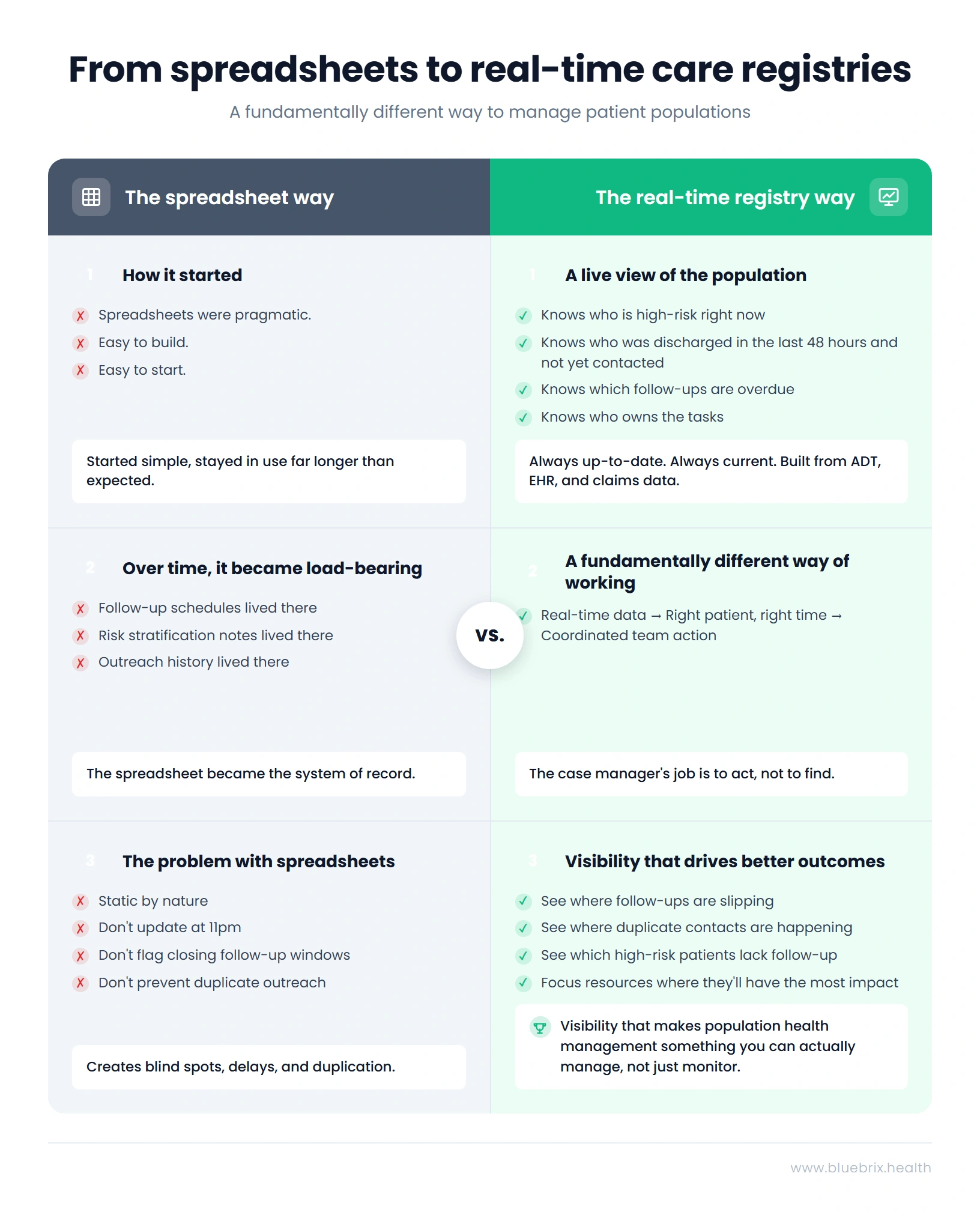
What care management software does that a spreadsheet cannot
Replacing a spreadsheet is not about finding a digital version of the same thing. A spreadsheet is a static document. Care management software is a working system. The difference is not cosmetic. It changes what a case manager can do in a day and what a clinical workflow owner can see across a population. Here is what it looks like in practice.
Real-time ADT feeds, EHR data, and claims inputs keep the registry current without manual updates
The reason a spreadsheet goes stale is that someone has to update it. When a patient is admitted at 11pm, no one is opening the file. When a claim comes in showing a specialist visit, no one is adding a note. The registry stays frozen at whatever state it was last manually touched.
Care management software pulls live data from ADT feeds, EHR systems, and claims streams and surfaces it automatically. A discharge that happens overnight appears in the care team’s queue by morning. A new hospitalization flags a patient’s risk tier without anyone typing anything. The registry reflects what is actually happening with the population, not what someone last recorded about it. blueBriX, for instance, integrates with existing EHR stacks including Epic and Athena without replacing them, which means the data flows in without requiring the care team to manage a separate data entry process.
Automated task routing removes the conditions that create duplicate outreach
Duplicate outreach happens when two people have access to the same list but no visibility into each other’s activity. The fix is not asking people to communicate better. It is removing the ambiguity at the system level.
When outreach tasks are assigned through a care coordination platform, each patient contact is owned by a specific care team member, visible to everyone, and marked complete when done. There is no shared column where two people can independently decide the same patient needs a call. The task either exists and is assigned, or it does not exist. blueBriX handles this through automated task routing that assigns patient contacts based on care team configuration, panel ownership, and workflow rules set by the clinical lead.
Built-in follow-up queues close the post-discharge window automatically
The 7-day post-discharge window does not require a case manager to remember it exists. In a care management platform, transition-of-care follow-ups are triggered by the discharge event itself. When a patient is discharged, a follow-up task is created, assigned, and given a due date. If it is not completed within the configured window, it escalates. No one has to know to check. No one has to build the list. The system tracks it from the moment the discharge happens. This is the single highest-impact operational change most ACO care teams report after moving off spreadsheets, because it stops being dependent on someone remembering to do it.
Role-based views give case managers and clinical leads what they each actually need
A case manager needs to see their assigned patients, their open tasks, and what requires action today. A clinical workflow owner needs to see panel-wide performance, where follow-ups are slipping, and whether the team is hitting its quality benchmarks. These are different jobs. A spreadsheet gives both people the same undifferentiated file and leaves each to find what they need in it.
Care management software surfaces role-specific views of the same underlying data. The case manager opens their queue. The clinical lead opens a population dashboard. Neither is wading through information that is not relevant to them.
Risk stratification updates as patient data changes, not when someone remembers to update a column
Static risk tiers are one of the most consequential limitations of manual care management. A patient marked low-risk in January based on last year’s claims data may have had two ED visits and a new diagnosis since then. The spreadsheet does not know that. The care team is still treating them as low-risk.
A platform connected to live data sources re-stratifies patients as new information comes in. High-risk patients surface to the top of the queue. Patients who have stabilized move down. The care team’s attention goes where the population’s actual risk sits, not where it was when someone last updated a cell.
Population-level tracking turns individual follow-ups into measurable panel management
A spreadsheet shows you the patients. A care management platform shows you the population. That distinction matters when your ACO is accountable for outcomes across thousands of attributed lives. Which care gaps are open across the panel right now? Which quality measures are at risk of missing targets? Where is outreach concentrated, and where are patients going untouched?
That kind of visibility does not come from aggregating individual rows in a spreadsheet. It comes from a system built to surface patterns across a population in real time. For clinical workflow owners managing shared savings targets, this is the difference between reacting to problems after the fact and getting ahead of them.
Here is what this looks like when applied at scale.
How Arkos Health uses care management software to coordinate 350,000 patients across 5 states
The operational changes described above are not theoretical. Arkos Health, a value-based care organization managing over 350,000 patients across five states, built its Arkos 360 care management platform with blueBriX as a core component. With 750-plus HCPs onboarded and more than 4,000 virtual visits per month, the coordination challenge Arkos faces is not small.
The integration centered on three things that directly mirror what spreadsheet-dependent teams struggle with most: real-time clinical documentation so every care team member is working from current patient data, configurable workflows tailored to different patient populations, and telehealth capabilities that extend reach to patients who would otherwise fall out of contact.