
Top 8 behavioral health EHRs with built-in telehealth
Telehealth software for behavioral health practices is a HIPAA-compliant platform that lets clinicians deliver therapy, psychiatric care, and substance use treatment over secure video or audio. The strongest options build telehealth directly into the EHR. You schedule the session, run the video visit, document care, collect outcome measures, and bill for the encounter in one system. Behavioral health is the biggest use case for telehealth in the US. In the second quarter of 2026, 53.7% of commercially insured patients with a telehealth claim were treated for a mental health condition, the top telehealth diagnosis in every region and age group.[1]
| Platform | Group telehealth | In-session tools | Standout |
|---|---|---|---|
| blueBriX | Yes, with individualized notes per participant | Live charting, assessments, treatment plan updates, secure messaging | Use blueBriX video or your own; 42 CFR Part 2 compliant |
| Valant | Yes, including family sessions with guests | Chat, screen sharing, whiteboard with clinician controls | 80+ outcome measures, guardian access |
| TherapyNotes | Up to 16 (Premium) | Waiting room, chat, screen sharing with sound, captions | Two-tier telehealth |
| SimplePractice | Up to 15 | Waiting room, screen sharing, whiteboard | Native AI Note Taker |
| ICANotes | Yes | Waiting room, screen sharing, secure chat | EPCS and fast psychiatric notes |
| AdvancedMD BH | Yes, with guest invites | Waiting room with copay collection, screen sharing | Strong billing and claims tools |
| TheraPlatform | Yes | Whiteboard, 30+ interactive apps, file sharing | Richest interactive toolkit |
| Ensora | Up to 20 | Waiting room, chat, | Largest group |
| (TheraNest) | nil | screen sharing, moderation | capacity |
Telehealth comparison at a glance
1. blueBriX
blueBriX is a configurable behavioral health EHR built for organizations that deliver care across multiple programs, such as outpatient therapy, IOP, SUD treatment, and community mental health services. Its built-in telehealth supports virtual appointments and group therapy sessions, along with real-time documentation and patient monitoring.
Telehealth features
- Clinicians launch secure sessions inside the EHR, then chart, review assessments, and update treatment plans without leaving the session screen.
- Care teams can hold multi-provider consultations and run secure group therapy sessions with individualized documentation for each participant, supported by embedded video and secure messaging.
- Organizations can use blueBriX video or keep a video tool they already rely on.
- Telehealth capacity is unlimited and runs inside the same platform used for in-person services, together with group sessions and a client portal.
Beyond the video visit
- Self-assessments, progress tracking, and secure messaging keep patients engaged between sessions, and a patient app lets them book visits and receive reminders.
- For community mental health centers, blueBriX offers flexible assessment tools, cohort-based program management, and unified treatment plans.
- The EHR complies with 42 CFR Part 2, which supports confidentiality for substance use disorder treatment records.
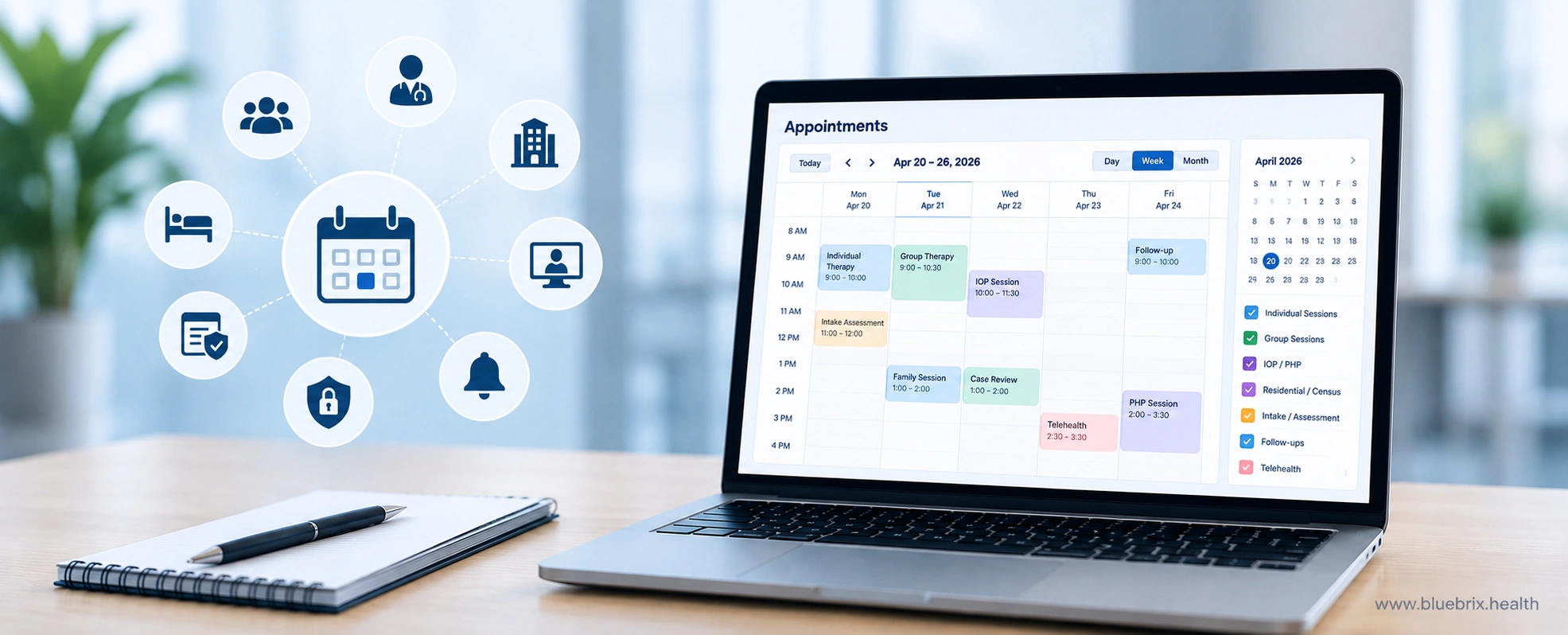
- A multi-tier scheduling engine offers role-based visibility and flexible calendar sharing across clinicians, group facilitators, and supervisors.
Best for: CCBHCs, CMHCs, IOP/PHP programs, SUD treatment providers, and multi-program organizations that need telehealth tied to program-level care, compliance, and revenue cycle workflows.
Things to consider: blueBriX is configured around your programs and workflows, so plan for a structured implementation. A solo therapist with a simple one-on-one caseload may not need this depth.
See telehealth built around how your programs run
blueBriX connects video visits, group therapy documentation, outcome tracking, 42 CFR Part 2 compliance, and billing in one behavioral health platform.
2. Valant
Valant is a behavioral health EHR founded by a psychiatrist, with deep strength in measurement-based care and prescriber workflows. It serves practices from solo clinicians to large organizations, including IOP and PHP programs, and combines AI-assisted documentation, ePrescribing with PDMP integration, telehealth, group therapy tools, and outcome tracking.
Telehealth features
- Patients can join early and receive messages in the waiting room, and they can connect through a browser, the mobile app, or a guest link.
- Clinicians can host group appointments or family counseling with up to 30 participants, mixing patients and guests, and control who can use chat, screen sharing, and the whiteboard.
- Recurring group appointments can run through group telehealth, with built-in tools to document and bill each session.
- AutoPay Pre-Visit collects copays automatically before a session starts.
Beyond the video visit
Valant integrates with DrFirst for EPCS and PDMP and offers pre-built templates for therapies such as DBT, CBT, MFT, and TMS. Its AI Notes Assist can generate notes in more than 100 session templates, including SOAP, DAP, and BIRP. It also includes more than 80 outcome measures that score automatically.
Through the MYIO patient portal, guardians and guarantors can get their own accounts to manage appointments, messages, billing, and payments.
Practice management covers scheduling, billing with claim assistance, utilization review, eligibility checks, and performance reporting. In March 2026, Valant also launched a managed RCM service, with a dedicated behavioral health billing team handling claims, denials, and financial reporting.
Best for: Outpatient and IOP/PHP practices with prescribers that treat outcome data as central to care and payer conversations.
Things to consider: Reviews of its customer support and setup experience are mixed. Its Capterra reviews come almost entirely from small practices (98% of reviewers as of September 2026).
3. TherapyNotes
TherapyNotes is an EHR and practice management platform built around standardized, repeatable workflows and integrated insurance billing. Users consistently praise its DSM-aligned note templates and predictable scheduling and billing tools.
Telehealth features
- Basic Telehealth is available on every plan. It covers one-on-one sessions (two participants, including the clinician) over standard-definition video, with guest access, a virtual waiting room, chat, and a session timer.
- Premium Telehealth raises the limit to 16 participants. It adds full HD video, screen sharing with sound, built-in noise cancellation, custom backgrounds, and real-time closed captions in English and Spanish. Practices can assign Premium to specific clinicians rather than the whole team.
- Group telehealth calls connect directly with Group Therapy appointments. Clinicians can admit participants from the waiting room and remove, mute, or unmute them during the call.
Beyond the video visit
- Integrated ePrescribe is available. TherapyFuel, a suite of AI documentation tools, also unlocks closed captions for enrolled clinicians.
- Insurance billing, claims, and a client portal are built into the same system.
Best for: Solo clinicians and small group practices with insurance-heavy caseloads that value predictable, structured workflows.
Things to consider: Its prebuilt templates work best for adult, one-on-one therapy. Specialty templates for couples, family, and pediatric work are limited, so practices with many of these clients should test the fit before committing. Basic Telehealth covers only one-on-one sessions, so plan for Premium Telehealth if you run virtual couples, family, or group sessions.
4. SimplePractice
SimplePractice is one of the most widely used EHRs among solo clinicians and growing practices. It lets clinicians manage in-person and telehealth appointments on one calendar and submit insurance claims for both visit types from the same system.
Telehealth features
- Telehealth sessions support up to 15 clients, with screen sharing, an interactive whiteboard, and a virtual waiting room on a HITRUST-certified platform.
- Telehealth is included in all three subscription plans.
- Group appointments, in person or over telehealth, are included on the Plus plan and available as an add-on on Essential. They aren’t available on Starter.
Beyond the video visit
- Note Taker is an add-on available on every plan. It transcribes session audio and drafts progress notes in SOAP, DAP, BIRP, or custom templates. It works with telehealth sessions, in-person sessions recorded through the SimplePractice for Clinicians app, dictation, and uploaded audio.
- SimplePractice also offers treatment plan fields and Wiley Treatment Planners on Essential and Plus plans. Its measurement-based care features score and graph PHQ-9 and GAD-7 results automatically.
- ePrescribe is available on all plans.
- Adding clinicians requires the Plus plan.
Best for: Solo clinicians and small practices that want fast setup and an all-in-one experience.
Things to consider: The clinician app experience is uneven across platforms. It’s rated 4.7 on Apple’s App Store (about 34,000 ratings) and 3.5 on Google Play (about 3,700 reviews), and there’s no Android tablet version. Note Taker works only inside SimplePractice and writes only to SimplePractice templates.
5. ICANotes
ICANotes has been on the market since 1999 and was designed by a practicing psychiatrist. Its core is a point-and-click charting engine: clinicians select from structured menus, and the system assembles a complete narrative note in a few minutes. The same platform now also handles prescribing, telehealth, scheduling, billing, and patient engagement, with newer AI documentation tools layered on top.
Telehealth features
- Telehealth is an add-on. It supports one-on-one and group visits, with a waiting room where clients can arrive early, screen sharing, and in-session chat.
- Clinicians start sessions from the calendar or the client’s chart and send a secure link by email or text.
- Clients join in their web browser, with nothing to download.
- The video can run on a separate monitor or half the display, so clinicians can build the note during the session with the same menu-driven templates they use in person.
Beyond the video visit
- Psychiatric prescribers can send controlled-substance prescriptions, including stimulants, benzodiazepines, and buprenorphine, through EPCS. They can also run PDMP checks and see interaction and allergy alerts without leaving the chart.
- AI Scribe records in-person or telehealth sessions, transcribes them live, and drafts a structured note for the clinician to review.
- Billing is tied to documentation: E&M codes are calculated from the note itself, at the highest level the documentation supports. ICANotes also offers revenue cycle management, credentialing, and consulting services.
- ICANotes+ requires a 3-month commitment.
Best for: Psychiatry practices and prescriber-heavy teams that want thorough notes completed quickly.
Things to consider: ICANotes doesn’t list a whiteboard or breakout rooms among its telehealth features. Some reviewers also find the interface less modern than newer platforms. ICANotes also runs two platforms, the newer ICANotes+ and ICANotes Classic, so confirm that the features you need are available on the version you’d use.
6. AdvancedMD
AdvancedMD is a cloud suite covering practice management, EHR, patient engagement, and telehealth, and it offers a dedicated edition for mental and behavioral health practices. That edition includes more than 40 behavioral health and rehab templates built on DSM-5 criteria for adults and children, which practices can customize or replace with their own. Billing runs through a single claims workspace that follows each claim from the first charge to the final payment.
Telehealth features
- Patients can book telehealth visits online, and each appointment gets one join link that stays valid for up to 60 days if the visit is moved.
- A pre-visit step handles logistics: patients confirm their identity, adjust their camera and microphone, and pay their copay before reaching the virtual waiting room.
- Sessions can be one-on-one or group. Family members and other guests can be added, and staff can open the session before the provider joins. Patients join from a phone, tablet, or computer browser with nothing to install.
- Providers can document during the visit. Computer-assisted coding then suggests ICD-10 and CPT codes for the provider or a coder to review.
Beyond the video visit
- Reminders go out automatically by text, email, or voice, in English or Spanish, and patients can confirm or cancel straight from the message.
- Claim Inspector checks claims before submission, and an integrated clearinghouse connects to more than 1,800 carriers. Worklists flag denials and unpaid claims for follow-up. Practices that prefer to outsource billing can use AdvancedMD’s managed RCM service.
- The AI Clinical Assistant turns ambient recordings into SOAP notes, psychiatric evaluations, medication management notes, treatment plans, or visit summaries.
- EPCS with PDMP integration is available.
Best for: Multi-provider group practices with complex billing needs.
Things to consider: AdvancedMD serves many specialties. EHR Source lists dermatology, orthopedics, pain management, primary care, and mental health among its strongest areas, so behavioral health is one focus among several. Standard onboarding takes about 90 days, according to AdvancedMD, and adding the RCM service means a separate onboarding of six to eight weeks. Practices with 1–3 providers can skip the long setup with AdvancedMD Now, a self-service edition with instant access.
7. TheraPlatform
TheraPlatform is built around interactive teletherapy, with EHR, scheduling, and billing tools around it. ChoosingTherapy rated it 4 out of 5 stars overall and a perfect 5 out of 5 for telehealth features.
Telehealth features
- Video sessions are available on every plan and support both individual and group therapy.
- The session screen includes a whiteboard, screen sharing with access controls, in-session chat, and video playback. Clinicians can organize worksheets, PDFs, and videos in folders to pull up mid-session.
- The Pro Plus plan adds a library of interactive therapy apps and games. Many target speech and OT goals, and some cover social-emotional skills for younger clients.
- In ChoosingTherapy’s testing, video and audio stayed stable with a guest in the session.
- Supervisors can watch sessions live through an observer role, and sessions can be recorded for supervision.
Beyond the video visit
- Documentation tools include customizable note templates, optional AI-assisted notes, and a Wiley Treatment Planner integration. Outcome measures such as the PHQ-9 can be scheduled through the client portal and are scored and graphed automatically.
- On the billing side, TheraPlatform checks insurance eligibility. It can generate and submit claims automatically after sessions, individually or in batches.
- Besides mental health, it supports speech, occupational, and physical therapy practices.
- Basic covers core EHR tools and video, but not insurance billing or the advanced telehealth tools. Pro adds both, and Pro Plus adds the therapy apps.
Best for: Telehealth-heavy solo and small practices, especially those working with children and families.
Things to consider: ChoosingTherapy found the platform less technically polished than some competitors, with a somewhat unintuitive design, though TheraPlatform launched a redesign in early 2025. It has no e-prescribing, so practices with prescribers will need a separate tool. The interactive apps that set TheraPlatform apart also require the top-tier plan.
8. Ensora Mental Health (TheraNest)
TheraNest by Ensora Health (briefly sold as Ensora Mental Health) is a mental health EHR for solo and small group practices. It combines scheduling, documentation, insurance billing, telehealth, e-prescribing, and a client portal in one system. Group practices also get multi-provider calendars, role-based permissions, and group practice reports. ChoosingTherapy rated it 4.5 out of 5 stars overall and 4 out of 5 for telehealth.
Telehealth features
- Telehealth links are created automatically when a session is booked and go out with the client’s appointment reminder. When it’s time, the clinician starts the call from the TheraNest calendar and admits the client from a waiting room in the portal.
- Group telehealth supports up to 20 participants, including the clinician, one of the larger group limits on this list.
- During sessions, clinicians can chat, share their screen, use custom backgrounds, and mute participants or turn off their video.
- Telehealth is included on the Premier plan and available as an add-on on Essentials and Advanced.
Beyond the video visit
- Ensai Session Assistant (formerly AI Session Assistant) is an add-on. With consent from both clinician and client, it records a telehealth session, drafts a SOAP summary, and deletes the recording within 24 hours. It also includes AI Case Summaries, which pull a client’s signed documentation together before each session. Ensai Notes Enhancement polishes a clinician’s own draft. Ensora’s policy is that client PHI is never used to train AI models.
- Billing tools cover electronic claims and automated ERA posting. Ensora also offers managed RCM and billing services, and credentialing support is included with eligible Advanced and Premier plans.
- Wiley Practice Planners are included on Premier and available as an add-on on the other plans. E-prescribing with PDMP is also available.
- Every plan includes unlimited clients and scheduler and biller seats.
Best for: Budget-conscious solo and small group practices, particularly those running virtual groups.
Things to consider: Software Advice’s summary of user reviews says billing is often described as confusing to set up, and mentions difficulties with telehealth and data export. Many of those reviews predate TheraNest’s current version.
How we evaluated these platforms
Every platform on this list meets one rule: telehealth is built into the EHR, so video visits launch from the same system you use to schedule and document care. We excluded platforms that route video through a separate product or a third-party video service.
We then compared each platform on five factors that matter most in behavioral health:
- Session flexibility: support for group, couples, family, and guest participants, including participant limits
- In-session tools: screen sharing, whiteboards, chat, and the ability to chart during the visit
- Clinical workflow: outcome measures, treatment planning, and AI documentation support
- Prescribing: EPCS and PDMP access for psychiatric and SUD care
- Billing connection: how virtual visits flow into claims
What are the must-have features in behavioral health telehealth?
The must-have features in behavioral health telehealth are HIPAA-compliant video backed by a business associate agreement, sessions that run inside the EHR, group and family visit support, simple client access, safety planning tools, built-in outcome measures, 42 CFR Part 2 consent controls, and integrated prescribing and billing. Together, they help keep virtual care safe, well documented, and billable.
HIPAA-compliant video with a signed BAA
Any video tool you use for care must follow HIPAA rules, and the vendor must be willing to sign a business associate agreement (BAA) for its telehealth product.[2] Ask for the BAA up front, and confirm it covers video, messaging, and any session recordings or transcripts.
Sessions that launch and document inside the EHR
You should be able to start a session from the calendar and open the client’s chart on the same screen. From there, you can write notes, review assessments, or update the treatment plan while you talk. When the visit ends, the note and the charge are already in the record, so nothing has to be entered twice.
Group, family, and guest sessions
Behavioral health care often involves more than one person. Look for group sessions that produce a separate note for each participant. Guardians, family members, and interpreters should be able to join securely without seeing more than they should.
Simple access for every client
Clients should be able to join from a browser or phone without downloading an app, wait in a virtual waiting room, and receive automated reminders. An audio-only backup keeps the session going when a client’s video fails or they aren’t comfortable on camera.
Safety and crisis planning tools
Virtual sessions happen outside your office, so you need a plan in case a client is in crisis. HHS recommends documenting the client’s location, local emergency numbers, a nearby support person, and a plan for dropped connections before the first telebehavioral health visit.[3] Software that asks for location at check-in and keeps emergency contacts on the session screen makes that plan easier to follow.
Outcome measures built into the visit
Measurement-based care depends on regular data. The platform should send tools such as the PHQ-9 and GAD-7 before a session, score them automatically, and show trends you can review with the client on screen.
Consent and 42 CFR Part 2 controls
Telehealth consent should be captured and stored in the chart before the first virtual visit. If you treat substance use disorders, the system also needs to manage Part 2 consent and control how SUD records are shared.
Prescribing and billing in the same workflow
Prescribers need EPCS and PDMP checks without leaving the telehealth screen. On the billing side, the platform should apply the correct place-of-service codes and telehealth modifiers automatically, so virtual visits don’t turn into denied claims.
Use the demo questions below to see how each vendor handles these features in practice.
Questions to ask in every telehealth demo
- How many participants can join a group session?
- Can clinicians chart, review assessments, and update treatment plans during the session?
- How do guardians, family members, or guests join, and how is their access controlled?
- How does a telehealth visit flow into the claim, including place-of-service codes and modifiers?
- How does the platform support 42 CFR Part 2 consent and record handling for SUD patients?
- Can prescribers complete EPCS and PDMP checks without leaving the telehealth workflow?
- How will the platform help us track Medicare in-person visit requirements?
- Can patients join from a browser without downloading an app?